Single-doctor clinics
Online booking, walk-ins, prescriptions, receipts, reminders, and daily revenue in one place.
Made by a doctor for doctors
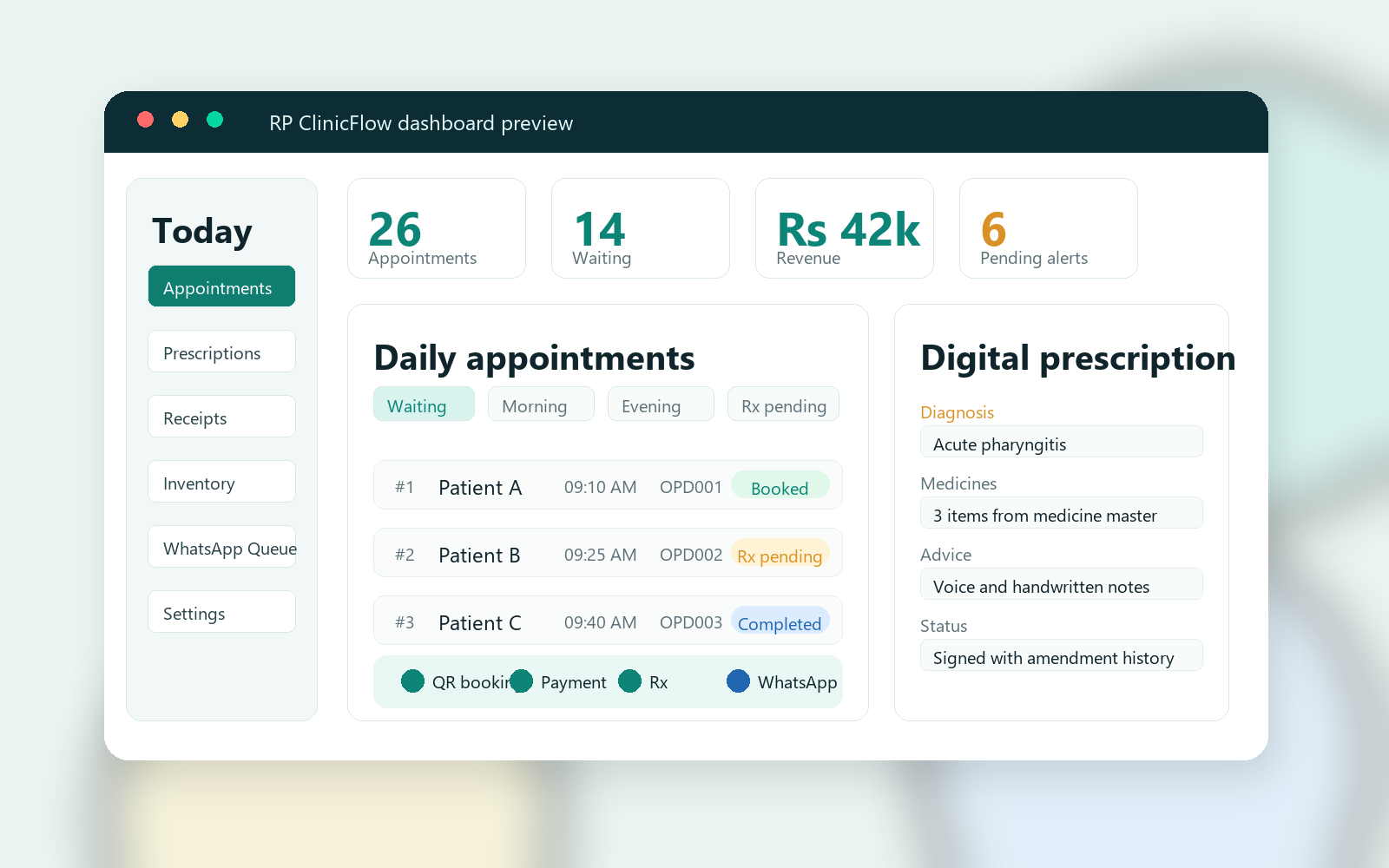
A complete clinic workflow system for QR booking, doctor and staff dashboards, digital prescriptions, receipts, inventory, UPI/Razorpay tracking, WhatsApp updates, follow-ups, and secure patient records.
Built from real clinic workflow
RP ClinicFlow is made by a doctor for doctors and is designed around the daily clinic flow: patient booking, waiting queue, doctor consultation, prescription, receipt, payment verification, inventory deduction, and follow-up.
Who can use it
Online booking, walk-ins, prescriptions, receipts, reminders, and daily revenue in one place.
Doctor-wise availability, consultation fees, signed prescriptions, role access, and owner controls.
Service fees, UPI/Razorpay tracking, procedure consent forms, report uploads, and refund rules.
Templates can be adapted for ENT, dental, pediatrics, dermatology, gynecology, physicians, and diagnostics.
What it includes
QR and link booking with doctor selection, clinic timings, service fees, consent, and cancellation policy.
Morning/evening slots, waiting list, completed visits, cancellations, no-shows, UPI pending, and search.
Diagnosis, complaints, findings, past history, allergies, medications, investigations, surgery, advice, and follow-up.
Consultation cost, medication cost, total bill, discounts, waived charges, refunds, payment mode, PDF, and CSV export.
Booking confirmations, payment confirmations, prescription links, reminders, failure queue, retries, and manual fallback.
Medicine master, stock quantity, clinic sale deduction, staff view, owner-only add/edit rights, and pharmacy billing support.
Family membership, follow-up logic, patient identity matching, discounts, and follow-up due lists.
Lab and procedure reports, image/video links, daybook, revenue summary, audit logs, and backup status.
Patient journey
Reliability and controls
Fees, doctors, roles, WhatsApp, SMTP, payment keys, templates, and clinic policies stay under owner control.
Staff can manage appointments and patient details, while sensitive clinical and financial changes can require doctor rights.
Prescription edits can carry reasons, version history, amendment labels, and a visible log for review.
WhatsApp/email failures can be retried, copied, opened manually, or marked as sent after confirmation.
Each buying clinic should get its own Firebase project, database, users, storage, and backup configuration.
Source code copy, Firestore export plan, recovery notes, and backup status screens help reduce dependence on one computer.
Introductory launch pricing
See patient booking, clinic dashboard, prescription, receipt, payments, WhatsApp/email, and reports.
After demo approval, the clinic enters credit card or payment mandate details before trial activation.
After 10 days, billing starts for the selected clinic category unless the clinic cancels before trial end.
Single Speciality Clinic
For one specialty clinic with a focused OPD workflow.
Multispeciality Clinic
For clinics with multiple specialties, doctors, and fee schedules.
Hospital
For larger OPD/hospital workflows with higher user and department needs.
The 10-day trial is offered after live demo, workflow approval, and credit card or payment mandate setup. Billing is charged after the trial according to the selected clinic category unless cancellation is requested before the trial ends. Introductory pricing is for early clinics and may change after the launch period. Cloud hosting, domain, WhatsApp API, SMS, payment gateway, email, and third-party charges are billed separately to the clinic.
Setup plan
Create a separate Firebase project and configure database, storage, hosting, and rules.
Add clinic branding, doctors, fees, timings, services, policies, letterhead, and receipt details.
Connect UPI/Razorpay, WhatsApp Business API, email SMTP, and clinic notification numbers.
Create owner, doctor, and staff logins with clear role permissions and password reset flow.
Generate patient booking QR codes for reception, Google Business Profile, website, and posters.
Run test bookings, payment verification, prescriptions, receipts, refunds, reminders, and backups.
Questions doctors ask
Yes. Clinic name, doctors, fees, templates, services, consent forms, report types, and prescription layout can be changed.
Each commercial clinic deployment should use its own Firebase project, database, storage, users, backups, and clinic configuration.
Yes. The dashboard is web-based and can be opened in Chrome on desktop, laptop, tablet, or phone.
No. It organizes records, booking, billing, and communication. Medical decisions remain with the treating doctor.
Next step
See QR booking, waiting list, prescriptions, receipt billing, inventory, payments, WhatsApp updates, and daily reports in a practical live walkthrough over WhatsApp video or Google Meet. Staff training is available separately after setup.